
iPod, iPhone, iPad and all things i-related
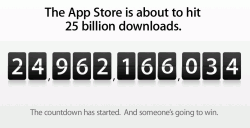 Check Apple‘s web site: you could win!
As of today, nearly 25 billion apps have been downloaded worldwide.
Which is almost as amazing as the apps themselves.
So we want to say thanks.Download the 25 billionth app, and you could win a US$10,000 App Store Gift Card.* Just visit the App Store and download your best app yet.
Check here for more info about the 25BN downloader prize!

 With the upcoming iPad 3 event on March 7th, rumors abound on some critical issues that may emerge with the new model.
Shlashgear reports that the Home button may disappear from iPad 3 in favor of some new gestures.
The Home button, one of the very few iPad annoyances, is a long-time doomed feature that may has come to an end.
Apple has long been rumored to be deleting the physical home key, and replacing it with either a combination of gestures or a touch sensitive bezel. The image Apple used for its invite – with the tagline “We have something you really had to see. And touch” – could be a hint that the iPad 3 doesn’t just have a high-resolution “Retina Display” screen but a new use of touch technology as well.
TheNextWeb reports about another problem Apple is facing: the dreaded 20 MB-download-limit for 3G connections that may become insufficient for HD- and Retina-content.
Apple’s iPad 3 is set to launch next week and all signs point to it having a Retina display running at 2048×1536 pixels. This should provide a clearer, sharper image to most users and will display many applications in a fantastic new light, as long as developers have prepared them properly.
But the necessity to include these images may present a problem with the mandatory 20MB file size limit that Apple has imposed on 3G downloads.
In order to do so, they will have to include ‘@2x’ graphics. These are image files that have been quadrupled in pixel count in order to display properly on the newer double-resolution iPad 3 screen. If these images were not included, then many of the apps that use custom graphics, like Tweetbot, or Bjango’s Consume 2, would look ‘blurrier’ than they do on the iPad 2.
[Via Slashgear and TheNextWeb]
 Check this excellent tutorial about creating Widgets for iBooks Author and iBooks 2, one of the coolest topics these days.
The ability to embed HTML5 & Javascript Widget within iBooks 2 is the best way to create really cool interactive iBooks.
This is the first of four articles on creating interactive widgets for iBooks Author and the iPad’s iBooks2.
Using DashCode to create an interactive widget (This article) Creating an interactive widget without Dashcode Creating a RemObjects SDK client widget Creating a Data Abstract client widget (Coming soon!)
[Via RemObjects]
 The spot, from longtime Apple ad agency TBWA\Media Arts Lab, illustrates simply how the technology works. In the ad, a user downloads an album on an iPhone 4S and then — voila! — it shows up on that user’s iPad and Mac. The same goes for new contacts, calendar entries, photos and apps.
This isn’t Apple’s first ad for iCloud. A commercial released last November made the same point, but included narration to spell it out. That spot came a few weeks after Apple’s official iCloud release in October.
 Magazine publisher Future has released its first interactive book created with Apple’s iBooks Author tool.
Future says GarageBand for Beginners has been carefully designed m to make the most of the interactive features available on iBooks 2 and iBooks Author.
The book offers tutorials on using Apple’s GarageBand music-making app allows users to create their own music in a quick and easy way.
Ian Robson, Future’s Technology Publisher says: “Our consumers demand the richest possible media experience from our products and with GarageBand for Beginners we’ve once again delivered.
“The Apple iBooks 2 platform offers us the ability to deliver a slick consumer experience with integrated video content, animated annotated screenshots and much more. We’re proud to be the first publisher to fully embrace the new platform and its interactive features.”
Future has a catalogue of other guides and bookazines on specialist subjects that it could enhance with the addition of videos, galleries and other interactive elements.
If the launch of GarageBand is successful, Robson said the publisher plans to create iBooks versions of all its Apple software guides over time, including products for iLife, iWork, a guide to Mac OS and the different variations of iPad, before starting to build other content.
GarageBand for Beginners is available to download from iBooks priced €0,99.
[Via Future]
