
iPod, iPhone, iPad and all things i-related
 You may already know Box.net, the online simple file storage.
Box.net gives you from 5 GB (free) up to 1 TB (or unlimited, paid) storage space to enjoy team collaboration, cloud computing or just an easy way to backup files, photos and your stuff (check here for correct pricing and plans).
This kind of services seem the perfect companion to iPads and iPhones: without even using iTunes syncing (nor iCloud) you can have the same photos, videos, PDFs (on iBooks, for examples) wherever and whenever you want it!
Here at theiFile.com we use it for almost everything, including work!
Today, Box.net just updated the iOS apps with the most awaited features of it all: direct upload of photos and videos.
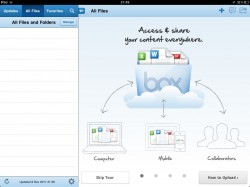
You’re now able to take a photos with the iPhone/iPad2 camera, save it online and get a shortlink that you can send via e-mail or share on Facebook.
It’s that easy!
Download Box.net on iTunes here for free.

 In July we wrote about Flipboard for iPad and this social media aggregator has become huge since then.
Today, Flipboard becomes available for iPhone and with a stable release too!
A new personalized-reading app for the iPhone is being launched by Flipboard, the design-centric company that led the customized-news charge with its app for iPad.
News can be rapidly browsed with a thumb flick from the hand holding the iPhone, like a digital Rolodex.
As you may expect, signing up a (free) account on Flipboard bring the same content, RSS-feeds and windows arrangements and setup on all your iOS devices, be it an iPad or an iPhone so it’s a setup-once and leave it in the cloud process!


It’s the kind of thing you’ll ask yourself how you lived without!
Flipboard for iPhone is available on iTunes for free here!
I must confess: I’m a long time Sting fan (and the Police too!) and I’ve been so lucky to attend the Sting Symphonicity concert on July 2011 in Venice.
Now, celebrating a 25 years span of (fantastic) solo career, Sting releases a “message in an iPad”: an appumentary (!) – sorry – a free app that combines music, concert footage, photographs and videos.
The central feature: footage from Sting’s performance last month at New York’s Beacon Theatre, including duets with guests like Lady Gaga and Stevie Wonder.
But the app, which is only available for the iPad, is also intended to serve as a retrospective of the artist’s entire solo career.
In all the app features over four hours of music videos, concert footage, interviews and more.
 Introducing the Sting 25 app, Sting itself performed the song Fragile, dedicating it to Apple co-founder Steve Jobs and saying, “In some way he’s created our future.”
This app comes in at a critical moment for music industry, where apps represent largely uncharted territory in music.
Recently the singer Björk married songs from her album “Biophilia” to a series of spacey video game-style interactives.
Otherwise, few artists’ apps have grabbed mainstream attention—most that exist are rudimentary, compiling tour dates, Twitter feeds and the like for mobile devices.
Artist managers and labels have held off on attempts to develop ambitious apps because the payoffs are unclear.
Sting’s approach seems so innovative just like the very first CD-ROM for Mac by Peter Gabriel 20 years ago or so…
But how much did it cost to make? What’s behind such a new-media production?
More than one million dollars. This is according to the Wall Street Journal and TheAppSide.
“Having recently released a 25th anniversary Sting box set, the singer’s label, Universal Music Group, and publisher, EMI, say they eagerly supported the app as a high-tech showcase for Sting’s catalog,” explains the newspaper.
“The music companies offered up the copyright clearances required, but didn’t chip in on the production budget. Those costs, in the low seven figures, were primarily covered by sponsors American Express and Chevrolet.”
The app was made by New York firm Radical Media, and includes concert footage, photos, handwritten lyrics and diary entries, and 360-degree spinning instruments. Which would explain why it cost so much to make. Hats off to whoever struck the sponsorship deal to cover most of those costs.
Whatever this may turn out, it’s a great app, a great appumentary made in a great way by a great musician of our time!
Warning: the app is 442 MB, this means you should rely on a strong Wi-Fi connection before attempting to download it and, sometimes, it may slow down a bit since it’s quite huge but… it’s all worthwhile!
Get Sting 25 for free right now on iTunes.
iOS 5 release is upcoming, are you ready for the 200+ new features?

So what are we waiting for?
What are those features, seen by many as Steve’s latest legacy?
Better Notifications: iOS 5 will include the new Notification Center, which can be accessed by swiping your finger downward on any iPhone screen. You can customize which notifications appear, including emails, texts, Game Center updates and weather. The point is to make notifications less like that interrupting cow in your knock knock joke.
iMessage: The new messaging feature allows iOS users to communicate over 3G and Wi-Fi with any iPhone, iPod Touch or iPad running iOS 5. You will be able to send photos and video, receive message delivery and read receipts, and see when others are typing. iMessages are synced to all of your devices, so you can pick up a conversation where you left off. Apple also promises your messages will be encrypted end-to-end for security.
Reminders: For the forgetful among us, reminders combines to-do lists and reminders. The feature can alert people to the simple things such as, “Pick up your dry cleaning,” or, “Your mother-in-law has been at the airport for an hour, prepare to sleep on the couch.” You can also set up a geofence around an area, that will set off a reminder once you leave that space. Reminders sync with Outlook, Apple’s iCal and iCloud so that they’re available across all of your devices.
Twitter Integration: Forstall said, ““We have integrated Twitter deeply into the OS. We have integrated Twitter into many of the built-in apps.” You only have to log in to Twitter once in your iOS device’s Settings screen. Then you can use it across the built-in iOS 5 apps and share websites from the Safari, YouTube, Photos app and more.
Newsstand: All of your favorite news publications, such as the New York Times, the New Yorker and Allure, are aggregated into a special folder on your home screen iOS device called newsstand. Apps purchased in the Newsstand section of the App Store automatically download to this folder. While you’re going about your business, Newsstand continues to download new content from your subscriptions.
Camera: When you need to whip out your camera and grab that fleeting shot of a seagull flying in front of the setting sun, you don’t want to wait to unlock your phone and access the camera. Apple’s answer to that is a shortcut in iOS 5 that doesn’t require you to enter a lock code to take a picture — just double click on the home screen and hit the Camera button. iOS 5 will also have new camera features, including auto focus and exposure lock, a rule-of-thirds grid overlay, pinch-to-zoom and the ability to use the volume up button as a shutter release button. On the other side, there are finally editing options to clean up pictures after you take them, including red eye removal, cropping and auto levels.
Game Center: We’re all about content discovery lately, and gaming is the next frontier. iOS 5 is rolling out game and friend discovery to its over 67 million Game Center users. A sequel to Infinity Blade by Epic Games is also coming out, made specifically for the new iPhone 4S.
New Safari: Forstall says, “”This next feature is one of my favorite: Tab browsing.” Tabbed browsing is just as it sounds, a way to switch between pages you’re reading simultaneously, like you do on a desktop. If you don’t have time to read a page, you can now “save” that page for later with the Safari Reader tool. Saved articles will be synced across all of your devices with iCloud, so you can pick up an article on your iPad where you left off on your iPhone.
Mail: The iOS Mail app will be more like a traditional email inbox! iOS 5 allows you to flag messages, search your whole inbox and write emails with rich text formatting, including bold and underlined fonts.
PC Free: Cast off the chains tying your mobile to your computer! With iOS 5, iPhone, iPad and iPod touch users will no longer have to physically connect to a computer in order to activate their new devices or download important iOS updates. And with iCloud, you can backup photos, email, and other data wirelessly as well.
Check Apple’s iOS page for more tips!
